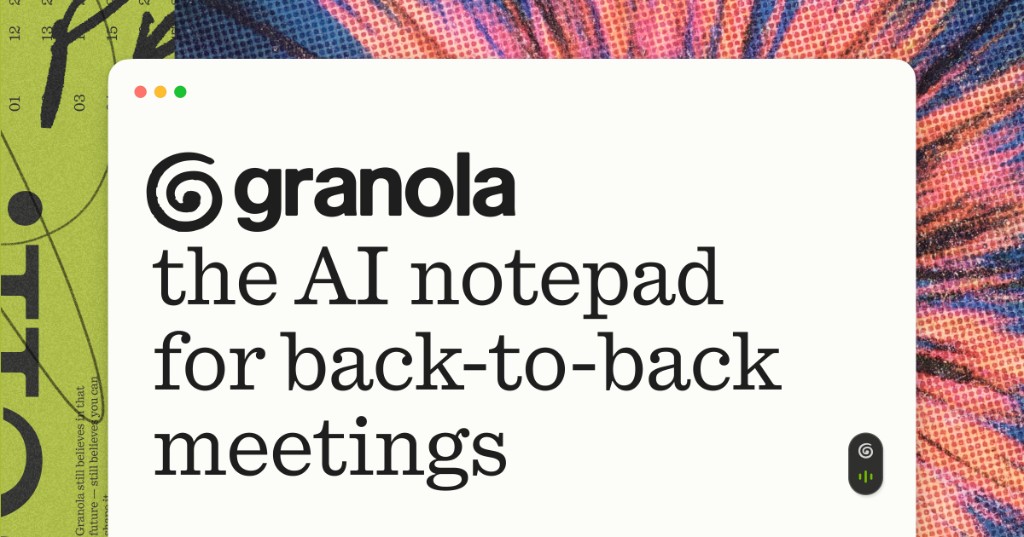
Specific use-case headline ('back-to-back meetings')
Naming 'back-to-back meetings' and 'Without a meeting bot' immediately answers why someone chooses Granola over generic recorders.
Words
968
Action candidates
11
Links
34/16
HTML
352 KB
granola.ai
Granola — The AI Notepad for back-to-back meetings
The AI notepad for back-to-back meetings. Notes, actions and memory. Without a meeting bot.
Naming 'back-to-back meetings' and 'Without a meeting bot' immediately answers why someone chooses Granola over generic recorders.
Tall serif display type and a calm green accent make daily meeting software feel quiet rather than enterprise-heavy.
Mobile visitors benefit from immediate clarity between grabbing the iOS app now versus sending a Mac/Windows link.
Surface the native mobile store action prominently at 390×844 while keeping desktop platform availability clear.
ABCDEFGHIJKLMNOPQRSTUVWXYZ · 0123456789
A tall quadrant serif headline, forest-green download button and side-by-side meeting notepad show calm utility.
TYPE SCALE
86.4px / 16px
5.40× display ratio
RHYTHM
LH 24px
Wt 400 · Track -1.728px
CORNERS
/* Extracted design tokens from granola.ai via VibeCheck */
:root {
  --color-bg: #ffffff;
  --color-surface: #f4f4f4;
  --color-ink: #292929;
  --color-accent: #586808;
  --color-muted: #c4c4c4;
  --font-display: "quadrant", system-ui, -apple-system, "PingFang SC", "Noto Sans SC", sans-serif;
  --font-body: "melange", system-ui, -apple-system, "PingFang SC", "Noto Sans SC", sans-serif;
  --text-h1: 86.4px;
  --text-body: 16px;
  --leading-body: 24px;
  --tracking-display: -1.728px;
  --radius-button: 8px;
  --space-section: 0px;
  --shadow-surface: rgba(0, 0, 0, 0) 0px 0px 0px 0px, rgba(0, 0, 0, 0) 0px 0px 0px 0px, rgba(0, 0, 0, 0) 0px 0px 0px 0px, rgba(0, 0, 0, 0) 0px 0px 0px 0px, rgba(0, 0, 0, 0.03) 0px 0px 36px 0px;

  /* Source custom properties sample */
  --card: 0 0% 100%;
  --ring: 109 82% 72%;
  --muted: 0 0% 96%;
  --accent: 109 82% 72%;
  --border: 0 0% 89%;
  --radius: .5rem;
  --blur-lg: 16px;
  --blur-xl: 24px;
}
Parameters are element samples. Empty values are unknown, and individual samples are not site-wide rules.
Mobile visitors benefit from immediate clarity between grabbing the iOS app now versus sending a Mac/Windows link.
→ Surface the native mobile store action prominently at 390×844 while keeping desktop platform availability clear.
mobile.png: multi-platform subtext beneath Download CTAA CSP is the standard way to limit script sources. Vibe-coded pages often load anything, including injected scripts.
→ Start with a report-only CSP, then default-src 'self' and an explicit script-src.
content-security-policy missingSwitch between page fixes, style recreation, DESIGN.md, or a reusable SKILL.md guardrail file.
Improve the current project using the 2026-11-11T06:47:51.749Z snapshot of https://www.granola.ai. First identify changes since capture; do not revert newer behavior to the old snapshot.

Design baseline
A split white hero pairs an 86.4px quadrant serif headline and green Download CTA on the left with a layered meeting-notes window and video strip on the right.
{
  "colors": [
    {
      "role": "bg",
      "hex": "#ffffff"
    },
    {
      "role": "surface",
      "hex": "#f4f4f4"
    },
    {
      "role": "ink",
      "hex": "#292929"
    },
    {
      "role": "accent",
      "hex": "#586808"
    },
    {
      "role": "muted",
      "hex": "#c4c4c4"
    }
  ],
  "fonts": {
    "body": "melange",
    "display": "quadrant",
    "stack": [
      "melange",
      "quadrant"
    ]
  },
  "radius": {
    "button": "8px",
    "card": "",
    "field": ""
  },
  "space": {
    "section": "0px",
    "card": ""
  },
  "type": {
    "h1": "86.4px",
    "body": "16px",
    "weight": "400",
    "lineHeight": "24px",
    "letterSpacing": "-1.728px"
  }
}
Values come from one capture. Fonts, radii and spacing are element samples, not a universal site-wide specification. Empty values are unknown. HTML bytes are source size, not compressed transfer size; script counts are DOM tags, not network requests.

Actions
1. Tailor download messaging on mobile viewports
Surface the native mobile store action prominently at 390×844 while keeping desktop platform availability clear.
Evidence: mobile.png: multi-platform subtext beneath Download CTA

2. No Content-Security-Policy
Start with a report-only CSP, then default-src 'self' and an explicit script-src.
Evidence: content-security-policy missing

Acceptance
- Check text, layout and the main action “Download for free” at 1440×900 and 390×844.
- Preserve branding, authentication and business behavior. A screenshot does not prove broken interaction.
- Change only evidence-backed issues. Validate security headers against existing resources and authentication in report-only mode where supported.
- Compare before/after screenshots and run relevant functional tests. Do not claim untested behavior passed.A white canvas, green actions and unequal feature panels organize the Postgres core and supporting services into a scannable platform page.
A green owl, substantial buttons and generous white space frame learning as a welcoming game start screen.
Clean white space, mint-emerald light arcs and a real documentation UI preview make developer docs look inviting.
An angled trace-timeline backdrop paired with a 'Copy setup prompt' agent button speaks directly to modern AI engineers.